Digital evidence
What EXIF Data Tells You
Every photograph carries a block of data describing how it was made. Sometimes it includes the coordinates. More often the useful part is what the fields say about each other — and whether they agree.
- Full name
- Exchangeable Image File Format
- Best case
- GPS coordinates and a timestamp
- Usual case
- Device, settings, and editing history
- Stripped by
- Most social platforms, on upload
EXIF is metadata written into the file by the camera. It records how and when the image was made — the device, the exposure settings, the date and time, and on a phone with location enabled, the coordinates.
Where it survives, it’s close to a fingerprint for the file. The catch is that it very often doesn’t survive, and knowing which is which is most of the skill.
Read it here. Our EXIF viewer parses the whole block in your browser, including GPS, the embedded thumbnail and the JPEG structure. The file never leaves your computer — nothing is uploaded anywhere, which matters when the image is evidence.
What’s worth looking at
| Field | Why it matters |
|---|---|
| Date and time | Builds a timeline. Note that it’s the camera’s clock, which may be wrong |
| Offset time | The UTC offset. Tells you the time zone the device was set to |
| GPS | Where it was taken, to a few meters. Present far less often than people expect |
| Make and model | Identifies the device. Ties a set of images to one camera |
| Software | Firmware version, or the editor that last wrote the file. This is where tampering shows |
| Serial number | Some cameras write it. Links images to a specific physical body |
| Exposure, ISO, aperture | Describes the light. Checks the scene against the claimed time of day |
| Orientation | How the camera was held, and whether it was rotated afterwards |
| Image unique ID | A per-image identifier, where the manufacturer sets one |
A real file, read properly

Getting the file off the phone matters. Send it through a messaging app or post it anywhere and the metadata is stripped before you ever see it. Upload it to cloud storage and download the original, and it comes through intact.
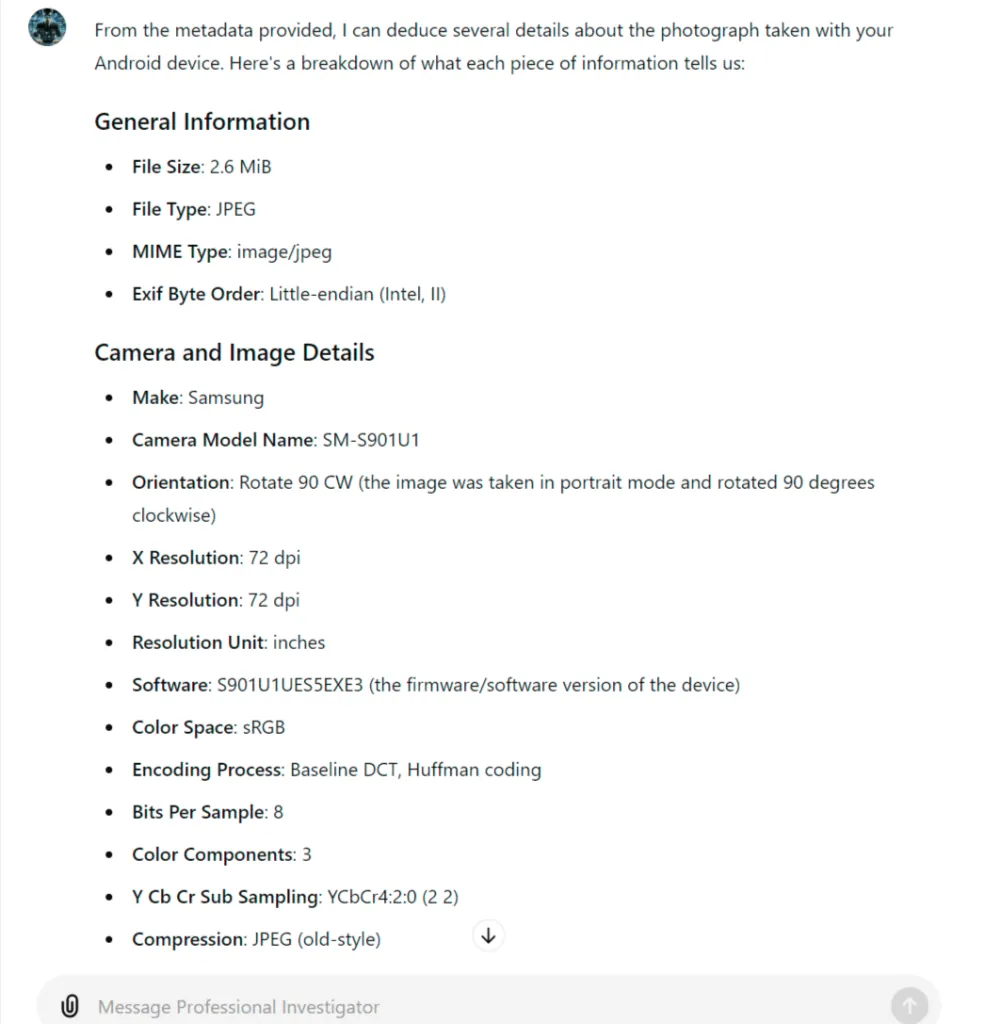
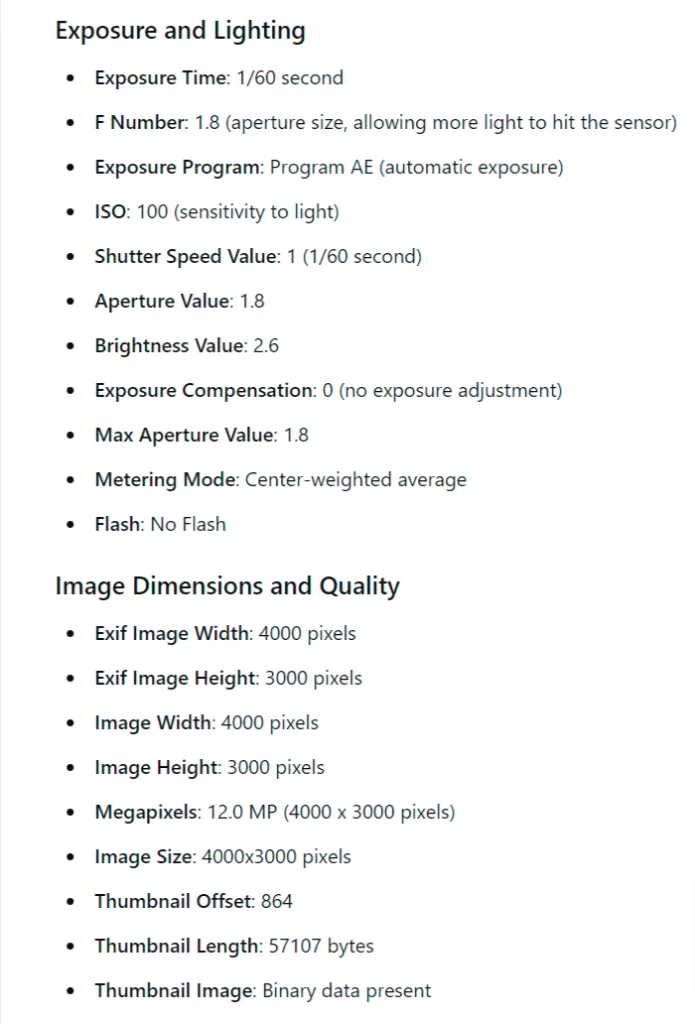
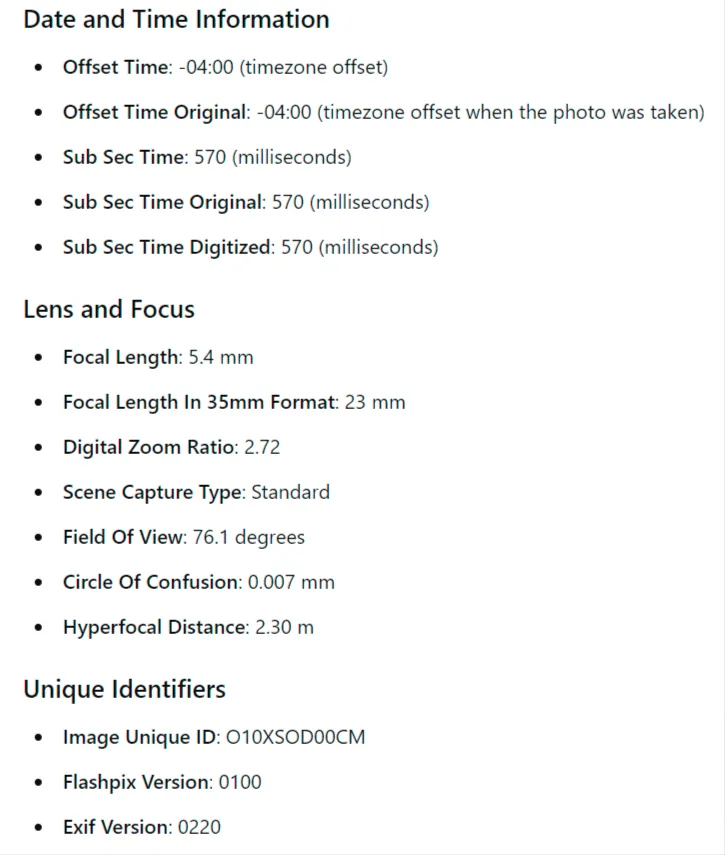
There’s no GPS in this one, because location was off. That’s normal and it isn’t suspicious.
Making sense of a large block
A full EXIF dump runs to a hundred fields and most of them are camera engineering. Handing the block to an AI assistant and asking it to summarize what the fields collectively suggest is a legitimate use of the technology — it’s reading structured data and describing it, which is the thing these systems are actually reliable at.
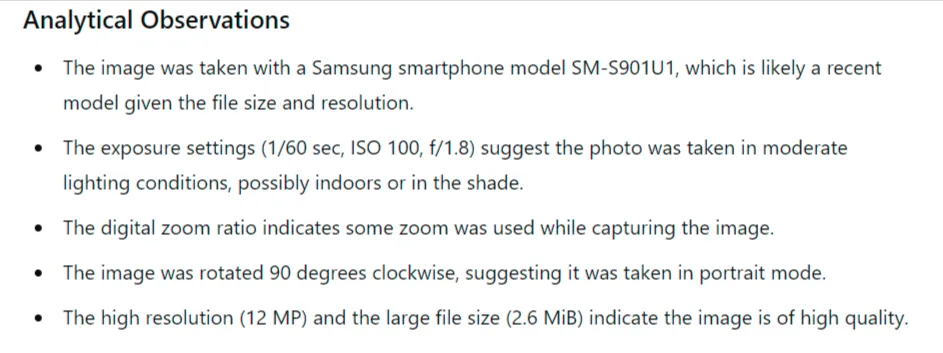
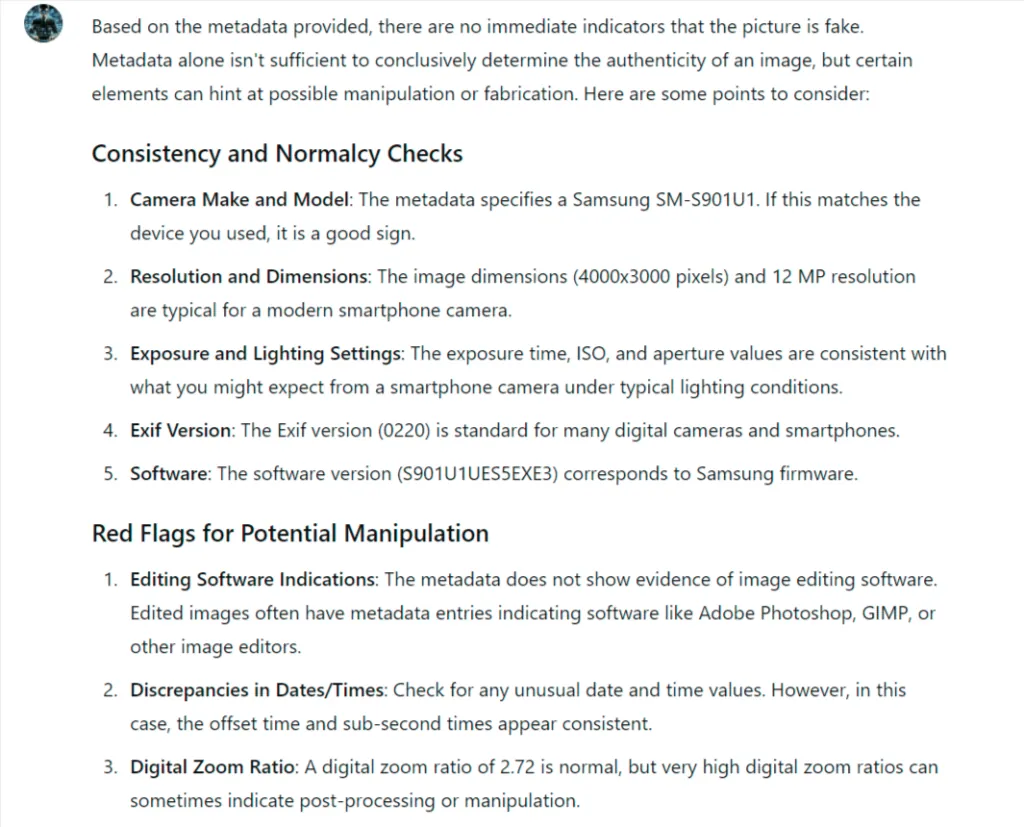
Note what it declined to say. Metadata alone can’t establish that an image is genuine, and a good answer says so rather than declaring the photograph authentic. Treat any tool that gives you a verdict with suspicion.
Detecting tampering
Metadata is trivial to edit. Anyone can rewrite a timestamp or coordinates in seconds, so you never treat a field as true because it exists. What you look for is fields disagreeing.
- Internal contradiction. A camera model that didn’t exist on the stated date. A lens the body can’t mount. A dimension that doesn’t match the sensor
- An editor in the Software field. Photoshop, GIMP, Lightroom or a phone editor means the file was re-saved. Not proof of anything dishonest, but it means what you are holding isn’t the original
- Missing fields. Authentic camera output is verbose. A file with a timestamp and coordinates and almost nothing else has usually been rebuilt
- Time that does not match light. ISO 3200 at f/1.8 on a stated midday timestamp is a contradiction the metadata can’t resolve on its own
- Offset against claimed location. Coordinates in Arizona and a UTC offset for London is a straightforward inconsistency
- Coordinates that do not match the scene. Put them on a map and open Street View. Confirm the buildings, the vegetation and the direction of the light
Beyond the metadata, the file structure itself carries evidence — the quantization tables reveal what quality it was last saved at, and error level analysis shows which regions have been re-compressed differently from their surroundings. Our viewer runs both.
Where it actually pays off
Establishing a location. A photograph sent from a phone, with GPS intact, places a device at a set of coordinates at a time. In missing person work that’s occasionally the entire lead — it narrows a search area from a county to a street.
Contradicting a claim. Somebody submits a video or an image and states it is unaltered. The metadata names the editing software. That contradiction doesn’t prove what was changed, but it undermines the statement, and it’s often enough.
Two things to keep in mind
Almost every social platform strips EXIF on upload for privacy. If you pulled the image from Facebook, X or Instagram, the absence of metadata tells you where you got the file, and nothing whatsoever about the file. Get the original from the source or from a cloud copy.
And the clock is the camera’s, not the world’s. Cameras with no network connection drift, get set wrong, and stay on the wrong time zone after travel. Corroborate a timestamp before you build anything on it.
Support the work
Patreon
Exclusive guides and material that doesn’t get published publicly. If the free tools and articles here are useful to you, this is the place to support them.
See the Patreon